
Themes
The Gosa DesignPersonalization
4.01.11K Reviews
- Version
- 8.2
- Installs
- 50.00M
- Age Rating
- Everyone
Screenshots
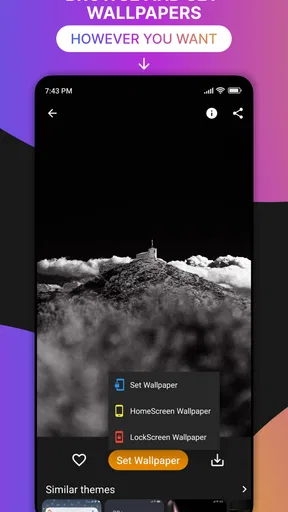
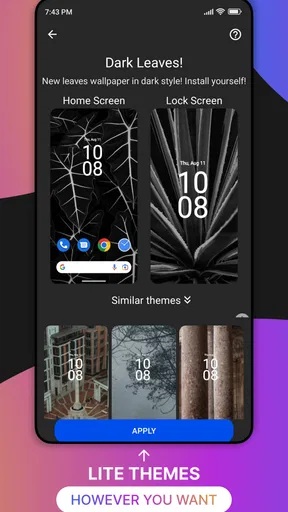
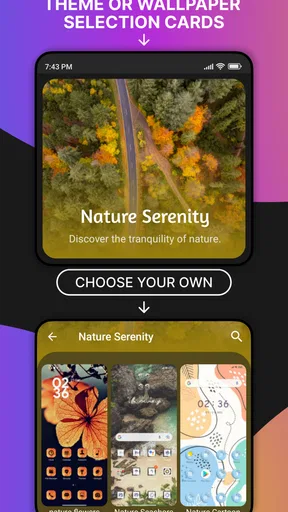
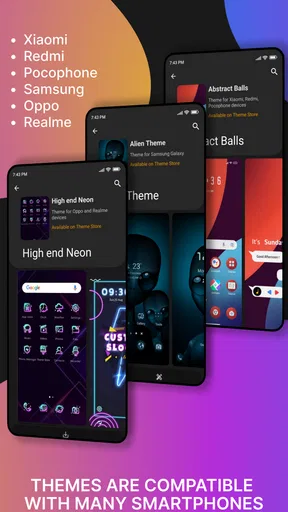
Our Review of Themes
 Analysis by Appyee
Changing the look of a phone can be surprisingly satisfying, but it can also become a tiring search through mismatched wallpapers, icons, and colors. Themes approaches that problem as a dedicated personalization app from The Gosa Design, bringing a large collection of visual styles into one place. I spent time browsing it as someone who wants a phone to feel more personal without rebuilding every screen manually, and my impression is that it works best as a discovery tool: it helps you find a direction quickly, then lets you decide how much of that style you actually want to keep.
The app is free to install and is suitable for everyone, with optional purchases ranging from $0.49 to $22.99 per item. Its current version is 8.2, and it runs on Android 6.0 or later. That broad compatibility matters if you are using an older phone, although the exact appearance of a theme can still depend on your device’s launcher and Android skin. In other words, the app can supply the visual material, but your phone’s own software remains part of the final result.
How the current experience feels
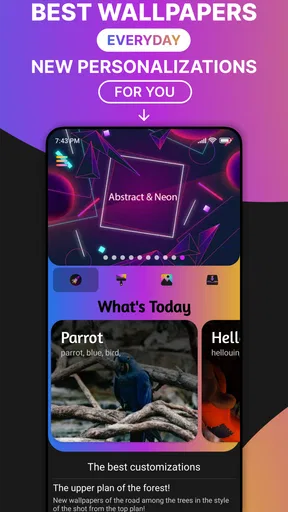
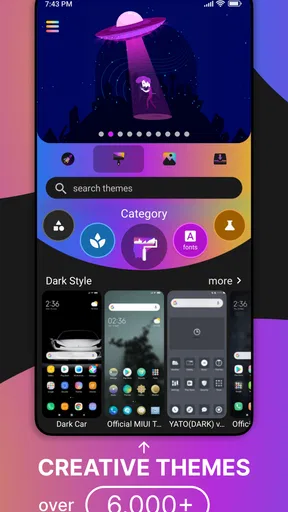
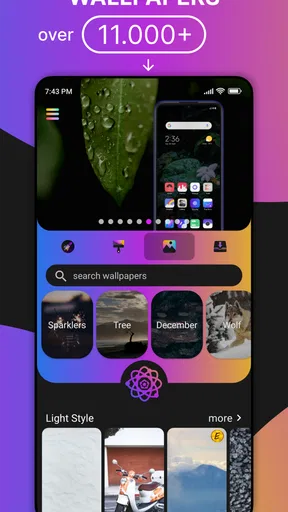
The first thing that stands out is the scale of the catalog. Themes presents more than 3,000 themes and over 9,000 wallpapers, so it is not a small collection designed around one particular aesthetic. I found that useful when moving between very different moods: a clean background for work, something darker for evening use, or a more expressive look when the standard home screen started to feel dull.
That variety is also the app’s main challenge. A large catalog gives you choice, but it can make browsing feel like window-shopping rather than a quick settings change. I recommend starting with a clear goal instead of opening the app and scrolling indefinitely. Decide whether you want to change the wallpaper, create a coordinated home screen, or simply find inspiration. That small decision makes the collection much easier to handle.
For everyday use, the most practical workflow is to treat a theme as a starting point rather than an all-or-nothing makeover. I would first preview several wallpapers, save the ones that work with the icons on my phone, and only then decide whether the complete theme is worth applying. This avoids the common disappointment of choosing an attractive preview that becomes difficult to read once app icons and widgets are placed over it.
The strongest part of Themes is the freedom to personalize in stages. You do not have to change everything at once. Someone who only wants a new lock-screen image can use the catalog differently from someone who wants a completely refreshed home screen. That flexibility makes the app more approachable than tools that assume every user wants a dramatic visual overhaul.
Finding a style without losing control
I also like the idea of separating inspiration from commitment. A full theme may look impressive in a preview, but your daily phone habits are more important than the screenshot. If you use several widgets, rely on small text, or keep many apps on the first page, a busy design may become distracting. A quieter wallpaper can sometimes deliver a better result than a highly decorated theme.
One useful habit is to test a candidate during both bright and dim conditions. A wallpaper that looks balanced in a store-style preview may feel too bright at night or make icons disappear in daylight. Themes gives you plenty of material to compare, but the final judgment should happen on your own screen, with your own icon arrangement and brightness settings.
The app is also a reasonable option for people who change phones often. Instead of spending time searching across unrelated wallpaper apps and theme utilities, you can return to one catalog and rebuild a familiar visual style. That does not guarantee identical results on every device, but it shortens the creative part of the process and keeps your choices in one place.
What the version and history suggest
The app was released on October 21, 2019, and version 8.2 shows that it is an established product rather than a newly launched experiment. I would not interpret a version number alone as proof of a particular feature or redesign, but it does indicate an app that has continued to receive development attention over time. The sensible expectation is a mature catalog experience, not a radically different phone interface.
That distinction matters because personalization apps often promise more than they can control. Themes can provide visual assets and theme-oriented presentation, while Android manufacturers and launchers decide how deeply those assets integrate. On one phone, a theme may feel close to a complete makeover; on another, you may mainly be changing backgrounds and selected visual elements. I would judge the app by the quality and usefulness of its material, not by expecting it to replace the operating system’s design.
Its audience size supports that mature impression. The app has passed 50 million installs, with an average rating of 4.0 from around 775,000 ratings and about 1,100 written reviews. Those figures suggest broad interest, but they should not be treated as a guarantee that every device will behave identically. A popular personalization app can still feel excellent for wallpaper discovery and less impressive if your phone has restrictive theme support.
The free entry point is another important part of its evolution as a product. You can explore the app without paying upfront, while optional purchases create a paid layer for users who want particular items. I would browse carefully before buying anything, especially if I am only looking for a general color palette rather than one specific design. The free experience is most valuable when you use it to understand the catalog and your own preferences before spending money.
What changes mean for someone already using it
For an existing user, moving to the current version is likely to be most worthwhile if browsing feels smoother or the catalog has become more useful for your tastes. The practical benefit is not necessarily a dramatic new feature; it is having a maintained place to look when your current setup becomes stale. If your present wallpaper already works well and you rarely customize your phone, a version update may not change your daily routine much.
I would also avoid rebuilding a carefully arranged home screen without first recording what you want to preserve. Take a screenshot of your current layout, note which wallpaper areas are kept clear for widgets, and preview new choices against that arrangement. This is a small step, but it prevents a theme experiment from turning into an afternoon of moving icons back into place.
Another trade-off affects people who use their phone for work. A visually rich theme can make a personal device feel more enjoyable, yet a busy background may compete with calendar widgets, notes, or productivity shortcuts. In that situation, I would use Themes to find a restrained wallpaper and leave the rest of the interface familiar. The app is not only for dramatic transformations; its catalog can also support subtle changes.
Someone sharing a device with family members should think about consistency as well. A style that feels obvious and readable to one person may be uncomfortable for another, particularly when the wallpaper has strong contrast or decorative details. Since the content rating is Everyone, the app is broadly accessible, but that does not mean every visual choice will suit every household.
Where the experience still has limits
The biggest limitation is the gap between a theme preview and the finished phone. Previews are useful for judging mood and color, but they cannot fully show how the design will interact with your launcher, icon labels, widgets, notification habits, or display settings. I would never buy an item solely because the preview looks polished. First, I would check whether the important areas of my home screen remain readable.
Another limitation is choice overload. A collection this large can encourage endless browsing, especially when many designs fit the same broad style. I found it more productive to set a stopping rule: choose three candidates, compare them on the actual phone, and keep the one that remains comfortable after a few hours. Without a limit, personalization can become a search for a perfect design that does not really exist.
The app may also be a weaker choice for users who want fine-grained control over every icon, widget, animation, and system element. A specialized launcher, icon pack, or manual setup can be better when precision matters more than convenience. Those alternatives usually demand more work, but they can offer a more consistent result for someone who already knows exactly how the home screen should look.
On the other hand, a manual setup is not automatically better. It often means collecting assets from several places, checking compatibility, and spending time aligning everything. Themes is more appealing when your priority is browsing a broad visual selection quickly. I would choose it over a collection of separate utilities if I wanted inspiration first and technical control second.
The optional purchase model deserves attention too. Free access makes experimentation easy, but paid items can add up if you keep buying designs that only hold your interest for a few days. My advice is to treat purchases as a decision about long-term use: if a style still looks comfortable after living with the free alternatives, it may be worth considering; if you are simply bored with your phone for an evening, wait before paying.
Practical ways to get more from the catalog
My first tip is to choose the wallpaper around your icons, not the other way around. Leave visual breathing room where your most-used apps sit, and avoid placing high-contrast details directly beneath small labels. This simple adjustment often makes a theme feel more polished than selecting the most elaborate design available.
My second tip is to use a two-stage refresh. Start with one wallpaper and keep the rest of the home screen unchanged for a day. If the new image still feels comfortable, continue with additional theme elements. This reveals whether you genuinely like the style or only liked the novelty of the preview.
My third tip is to keep a “safe” setup before experimenting. Save a screenshot and remember your preferred wallpaper so that returning to a familiar arrangement is quick. This is especially helpful if you use your phone for navigation, work authentication, or other tasks where losing a familiar layout creates unnecessary friction.
A fourth useful approach is matching the visual style to the phone’s role. On a personal device, expressive themes can be fun. On a phone used for study or work, muted colors and open space may be more useful. Themes is broad enough to serve both situations, but the best result comes from choosing for the way you use the device rather than choosing only for appearance.
Who should use it and what to watch next
I would recommend Themes to anyone who wants a large source of wallpaper and theme inspiration without paying at the door. It is particularly suitable for people who enjoy changing their phone’s mood, users who want to compare many visual directions quickly, and anyone who prefers a guided catalog to assembling a complete setup from separate apps.
I would be more cautious if you expect every part of Android to change automatically or if you need exact control over individual interface elements. In those cases, a launcher-focused solution or a manual combination of tools may be more appropriate. Themes can help you find the look, but the phone’s own software determines how completely that look carries through.
For new users, the key questions are straightforward: can the app run on your device, do you want a full makeover or only a wallpaper, and are you comfortable previewing before considering optional purchases? With Android 6.0 as the minimum requirement, compatibility is broad, but the visual result still deserves a quick test on the actual home screen.
Looking ahead, I would pay attention to how version 8.2 continues to handle catalog organization, preview accuracy, and the balance between free discovery and paid content. Those areas matter more to me than simply adding more designs. A huge library is useful only when it remains easy to navigate and when previews help users make sensible choices.
After using it, my view is positive but measured. Themes is not a magic replacement for every personalization tool, and it cannot erase the differences between Android devices. What it does well is give ordinary users a broad, approachable place to refresh the look of a phone. With a little restraint, a saved backup layout, and careful attention to readability, it can turn a routine home screen into something that feels much more like your own.
Verdict
Strengths of Themes
- Wide variety of themes for different styles and moods.
- Simple browsing makes discovering new designs quick and convenient.
- Themes can give your device a fresh look without much effort.
- Regularly updated content helps keep the selection feeling current.
- Many designs are suitable for both casual and personal customization.
Limitations of Themes
- Some themes may look different across various device models.
- The best designs may require in-app purchases or subscriptions.
- Theme previews may not fully reflect the final appearance.
- Certain themes can feel repetitive after extended use.
- Downloading many themes may use considerable storage space.
Similar Picks in This Category
View All
Microsoft SwiftKey AI Keyboard
SwiftKey4.3

Wallpapers
Google LLC4.1

Zedge™ Wallpapers & Ringtones
Zedge4.7

Yandex Browser with Alice AI
Direct Cursus Computer Systems Trading LLC4.3

Ringtone Maker:create ringtone
Big Bang Inc.4.7

Fonts Keyboard
Fonts Keyboard3.9
Frequently Asked Questions
What is Themes, and what can I use it for?
Themes is a customization app designed to change the visual appearance of your mobile device. Depending on the available catalog, you may be able to apply wallpapers, icon packs, widgets, lock-screen styles, fonts, and complete interface designs. It is useful for users who want to give their phone a more personal look without manually changing every visual element individually.
Is Themes free to download and use?
Themes can usually be downloaded at no cost, but some designs or customization tools may require payment, a subscription, or watching advertisements. Before applying a premium theme, check the price and subscription conditions shown in the app. Also review whether a free trial automatically changes into a paid plan, especially if you only want to test the available designs.
Will Themes work on every Android or iOS device?
Compatibility depends on your device model, operating system, and the type of customization offered. Wallpapers and widgets may work broadly, while icon packs, fonts, lock screens, or system-level themes can be limited by the operating system. Check the app-store requirements before downloading, and remember that some features may behave differently across manufacturers and software versions.
Does Themes affect battery life, storage, or phone performance?
Basic wallpapers and static icons normally have little effect on performance, but animated backgrounds, live widgets, lock-screen effects, and constantly updating content can consume additional battery and memory. The app itself also requires storage for downloaded designs. If your phone becomes slower or battery usage increases, try disabling animation, removing unnecessary widgets, or returning to a simpler theme.
Is Themes safe to install, and what permissions should I expect?
Themes should be downloaded from the official Google Play Store or Apple App Store to reduce the risk of modified or harmful files. Depending on its features, the app may request access to photos, notifications, storage, or permission to display widgets and wallpapers. Read each permission carefully and deny anything unrelated to customization. Avoid providing sensitive information unless it is clearly necessary.
